OLO PACE
A training log and a coach, on your phone. Your runs come in from your Garmin. Tell it the race you're working towards and the days you can get out, and it plans the weeks in between. After each run you get a line or two on how it went against the plan. Nobody else sees any of it.
Four weeks planned, the rest sketched to race day
01It's yours alone
There's no profile to fill in and nobody to follow. Your runs, your routes and your heart rate stay in your own account.
02A plan to race day
Give it the date, the distance and the climb. You get the next four weeks day by day, and the rest of the build sketched out to the start line, so you can see where it's going.
03Every run looked at
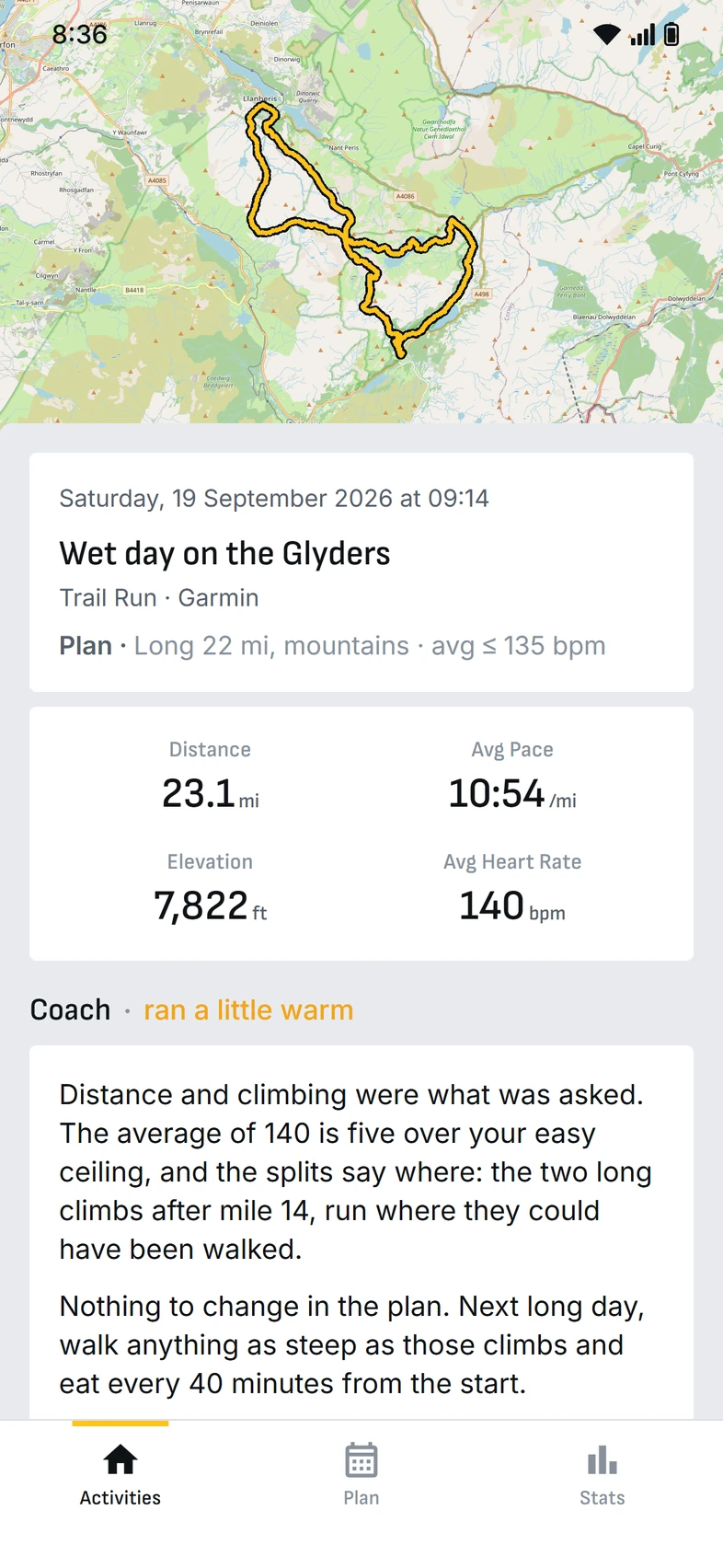
It puts what you ran next to what was planned. If it went to plan, that's all you'll hear. If it didn't, you get a short note on what happened and whether the week needs to change.
The coach
It has your plan, your history, your races and whatever notes you leave on your runs. When a run doesn't go the way it was meant to, it'll say so plainly: the climbs went out too hard, walk them next time and start eating earlier. If it thinks the plan should change, it suggests the change and you decide.
- Short notes you can read on the way back to the car
- Effort judged on your average heart rate for the whole run · against the easy ceiling you set
- Leave a note and it's taken into account · "calf tight on the descents"
- It won't change your plan without asking · and never touches a day you've already run
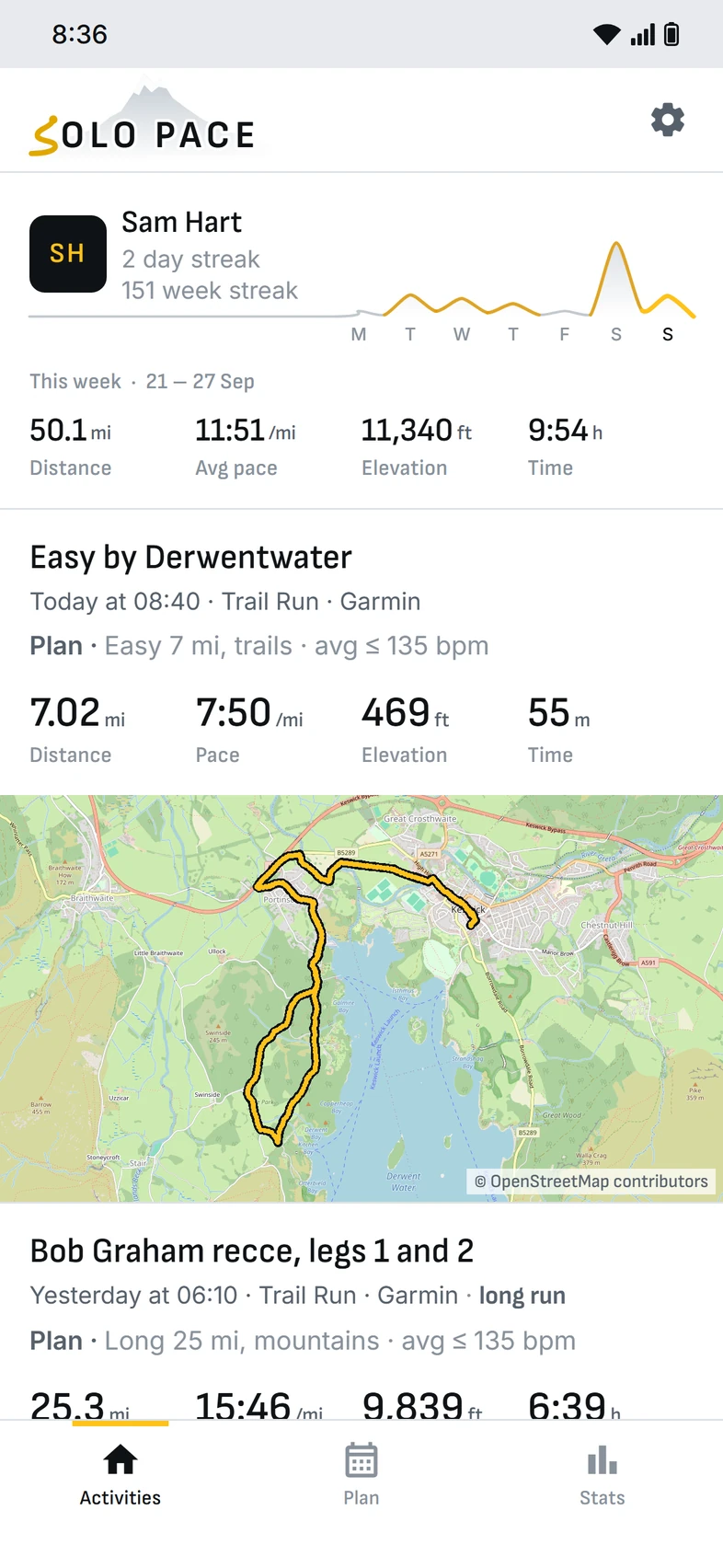
Your running, in one place
Runs arrive from Garmin without you doing anything. Upload your Strava export once and your old runs come with it, years of them if you've got them. Every run has its map, splits and heart rate, and sits in the week it belongs to.
- The week drawn as a ridge · a peak for each day you ran
- Maps, splits and grade-adjusted pace
- Heart rate zones, drift and training effect
- Races, records and shoe mileage · and a widget for your home screen
What's been left out
Most running apps turned into somewhere to post. This one is for training. Anything that was there to get likes has gone.
- Followers and a public profile
- Kudos, likes and comments
- Segment leaderboards
- Other people's runs
- A public map of where you run
- Adverts
Getting started
Get an invite
Email us and we'll send you a code. It's invite only while it's being tested.
Link your Garmin
Sign in to Garmin once. After that your runs turn up by themselves.
Bring your history
If you've been on Strava, upload your export once and your old runs come across.
Add your race
Date, distance and climb. You'll have your first four weeks straight away.
Questions
Can anyone else see my runs?
No. There's no public profile, no feed and no followers. Your runs are in your own account and nobody else can see them.
What do I need?
An Android phone and a Garmin watch. If you've got old runs on Strava, you can bring them across with your Strava export, whatever you recorded them on.
Is the coach a person?
No, it's an AI model. It's given your training, your plan, your races and your notes, and it plans and reads runs by a set of coaching rules written into Solo Pace. It doesn't change anything on its own: every change to your plan is a suggestion you can take or leave.
Does it cost anything to run the coach?
The coach runs on your own AI key, with a monthly limit you set. A new plan costs about 25 cents; reading a run costs a couple of cents. Runs that went to plan are checked on your phone and cost nothing, and runs with nothing planned are only read if you ask.
Where does my data go?
Your runs, plan and notes are kept in your Solo Pace account, so nothing's lost if you change phones. The coach is only sent what it needs to write a plan or read a run. The privacy policy has the detail.
Want to try it?
It's invite only while it's being tested. Drop us a line and we'll send you a code.